
Edit Page Text
The Edit tab changes the page itself — not an annotation on top of it. Use it to fix a typo, change a date, or add a line that should look like part of the document.
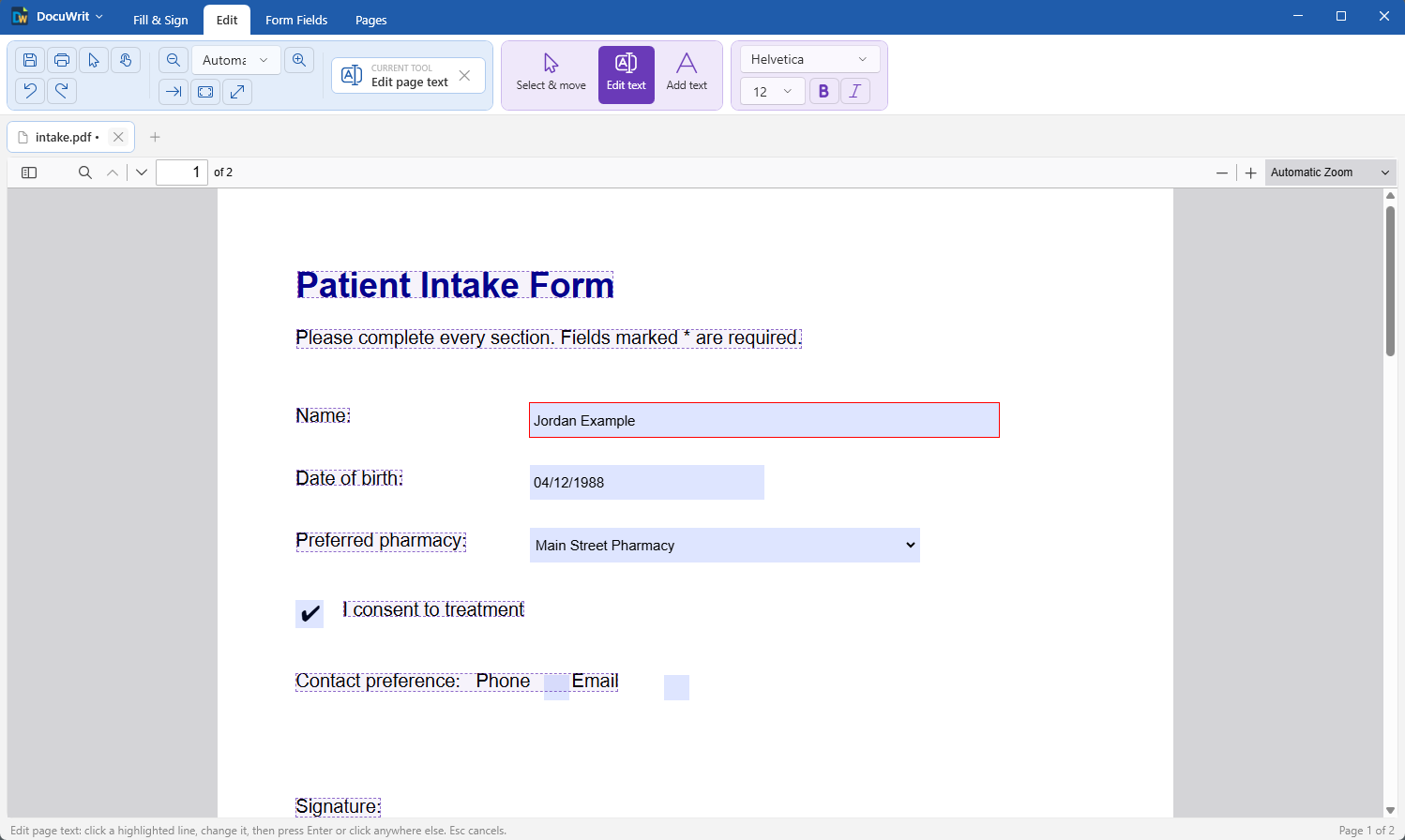
Edit text: every editable line is outlined
The tools
| Tool | What it does |
|---|---|
| Select & move | Click an item on the page (a line of text, a picture, a drawing) to select it. Drag it to move it. Delete removes it. |
| Edit text | Every editable line is outlined. Click one, change the text, then press Enter or click anywhere else. Esc cancels. |
| Add text | Click where the text should start and type. Enter finishes; Shift+Enter starts a new line; Esc cancels. |
Fonts
The font box, the size box and the B / I buttons set the look of new text. With a line selected (Select & move, or Edit text), changing them restyles that line.
- Helvetica, Times and Courier are built into every PDF viewer, so nothing is added to the file.
- Any other font installed on your PC can be used; the characters you used are embedded in the PDF so it looks the same everywhere.
What to expect
PDF is a page-description format, not a word processor format. Text is stored line by line, with no idea of paragraphs. That sets some limits:
- Editing is line by line. Text does not reflow: if you make a line longer, the lines below it do not move.
- The font may change. Documents usually carry only the characters they use. If your edit needs a character the document's font does not have, the line is set in the closest standard font (Helvetica, Times or Courier) instead.
- Scanned pages cannot be edited. A scan is a picture of text. You can cover it with a text box or add new text on top. Recognize text makes a scan searchable and copyable, but its recognized text is not editable page text.
Undo is always there. Every edit on this tab can be undone with Ctrl+Z (up to 20 steps per document), and nothing touches the file on disk until you save.
A scanned page has no text to edit. It is a picture. Recognize text makes it searchable and copyable; to change what it says, cover the spot with a Text box (Fill & Sign) or use Add text.
Next: Build Fillable Forms.