
Scripts in Documents
Some PDF forms carry small programs (JavaScript): totals that calculate themselves, checks on what you type, fields that fill in when the form opens. DocuWrit can run them — but a document does not get to run code just because you opened it.
The yellow bar
When a document contains scripts, it opens with them switched off and a bar above it:
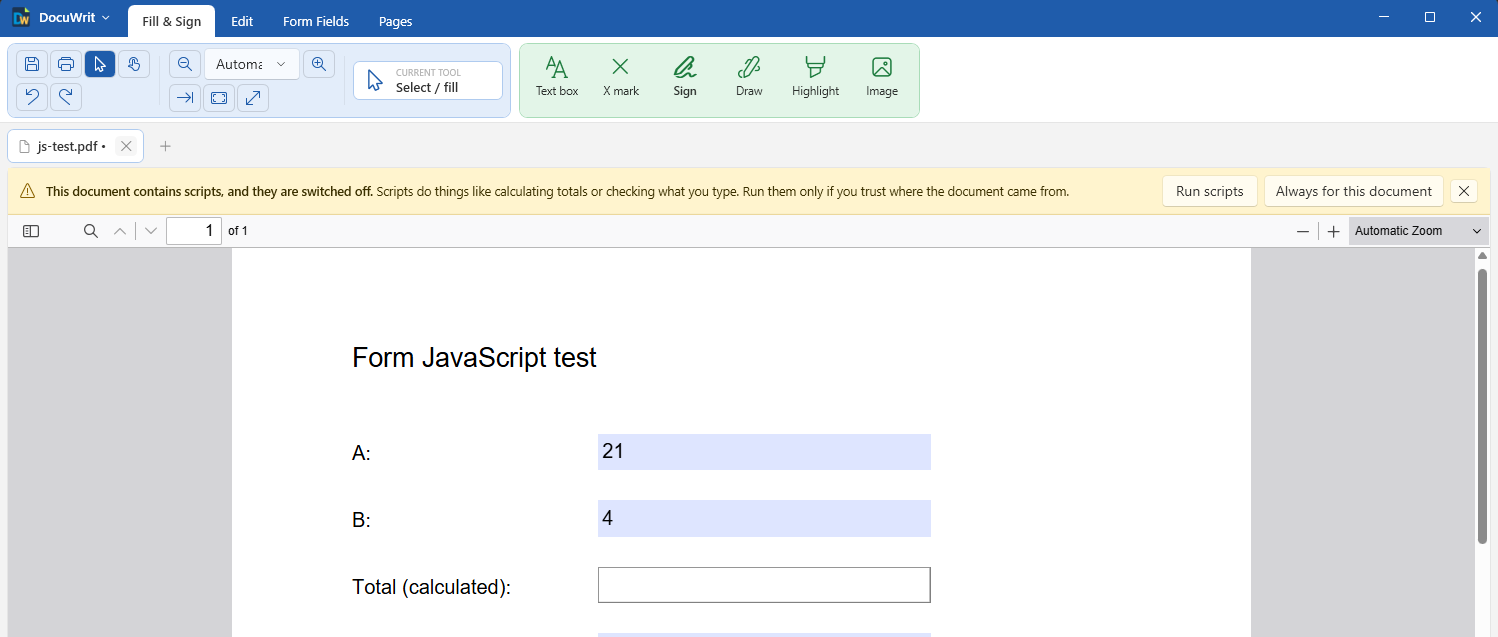
Scripts are off until you say otherwise
| Choice | What happens |
|---|---|
| Run scripts | The document's scripts run until you close its tab. Next time it asks again. |
| Always for this document | Runs them now and every time you open this file. Offered once the document has been saved to a file. |
| x | Leaves the scripts off. You can still read the document and fill in its fields; calculated fields just stay empty. |
Anything you typed before switching scripts on is kept. Documents without scripts never show the bar.
Changing the rule
DocuWrit menu > Scripts in documents:
- Ask before running them — the yellow bar (the default).
- Always run them — every document's scripts run without asking.
- Never run them — scripts stay off and no bar is shown.
A change applies to documents opened from then on.
Where “Always for this document” is remembered
In your Windows user profile, as a list of file locations — not inside the PDF. That means:
- it applies to you on this PC only; sending the PDF to someone does not send your trust with it;
- moving or renaming the file makes DocuWrit ask again;
- the list keeps the last 100 documents; older ones ask again.
What a script can and cannot do
Scripts run in a sandbox, a sealed box inside the viewer — the same design the Firefox browser uses for PDF forms.
| A script can | A script cannot |
|---|---|
| read and change the form's own fields; show a message box; ask the viewer to print, zoom or turn the page | read or write files on your computer; use the network or the internet; open web pages; start programs; reach other documents or DocuWrit itself |
Two more safeguards:
- A script cannot save silently. If a script asks for the document to be saved, DocuWrit asks you first.
- Links never load inside DocuWrit. A web link in a document opens in your web browser, where your browser's protections apply.
Seeing and changing the scripts of a document
Form Fields > Scripts lists all the JavaScript stored in a PDF, whoever made it: document scripts (they run when the document opens), document and page actions, and the scripts of every field — format, keystroke, validate, calculate, button and mouse scripts. Select one to read it. You can change it, delete it, rename a document script, add a new document script, or add a document action (before / after saving and printing, before closing).
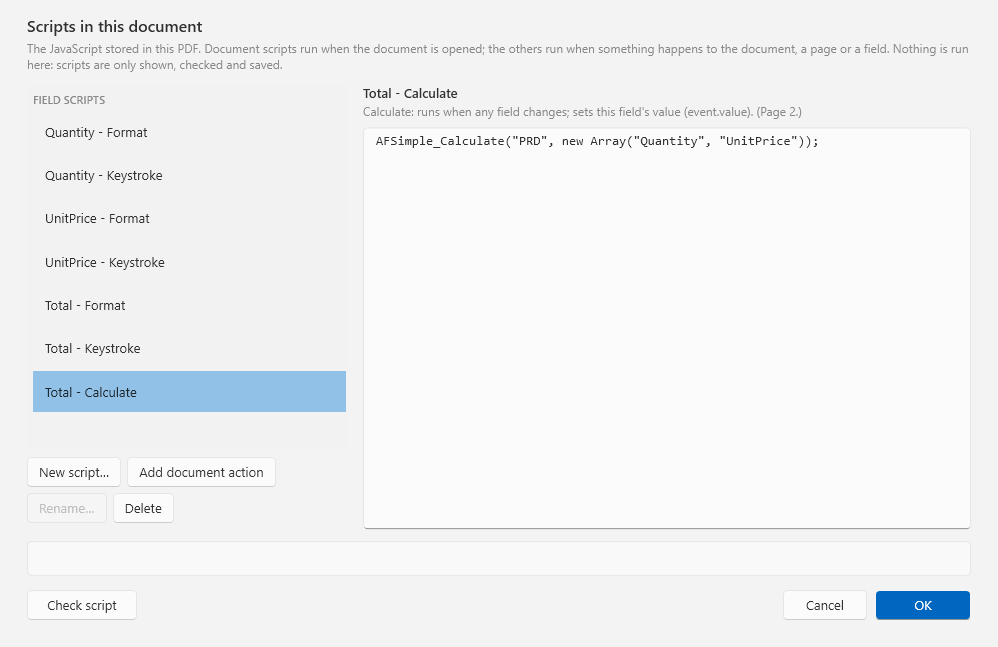
Form Fields > Scripts: every script of the document
- Nothing is run in this window. Scripts are shown, checked and saved — reading a suspicious document's scripts here is safe.
- Scripts you do not touch stay exactly as they are, byte for byte.
- A field's own scripts are easier to add in the field's properties (Format, Calculate and Actions tabs): see Build fillable forms.
The script check
Every script is checked when you leave it, when you press Check script, and before the document is changed:
| Finding | Example | What happens |
|---|---|---|
| Syntax error | a missing bracket: “Validate script, line 1: Unexpected token '{'” | The script cannot be saved until it is fixed. |
| Warning: web-page code | alert(...), window, document, console.log, setTimeout, fetch — none of these exist in a PDF. The message names the PDF way: app.alert(...), this.getField(...), console.println(...). | DocuWrit lists the warnings and asks whether to save anyway. |
| Warning: a field that does not exist | getField("Totl") — “Did you mean "Total"?” | |
| Warning: newer JavaScript | arrow functions, let / const, template literals: they run in DocuWrit but may not run in older versions of Acrobat. | |
| Warning: a call DocuWrit ignores | calls that open web pages or files, send mail or data, or save the document |
The check reads the script; it does not run it and cannot promise that the script does what you meant. Test the form with scripts switched on.
When a field's scripts run
The scripts of a field run when you leave the field — with Tab, by clicking somewhere else on the page, or by clicking anywhere else in DocuWrit. A read-only field that a script fills in (a total, a barcode) is redrawn at once, in its own font, exactly as it will be saved and printed.
Next: Shortcuts & Troubleshooting.